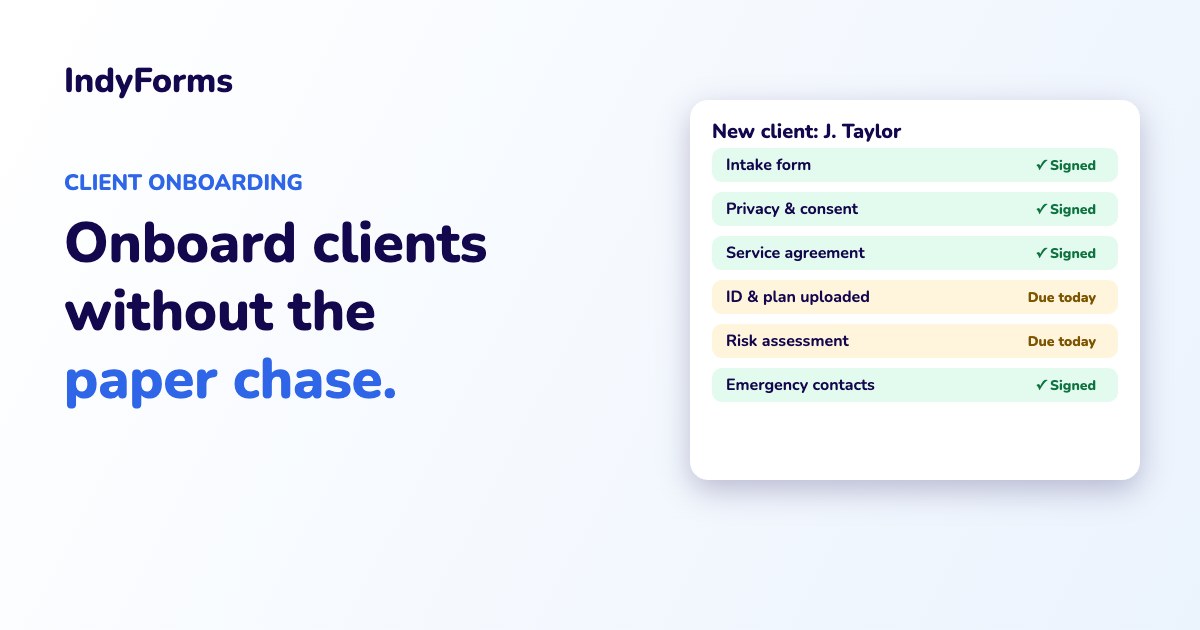
Quick answer: To onboard clients without the paper chase, put your intake form, consents, service agreement and document requests into one digital flow the client can complete and sign on their phone. Automatic reminders chase anything missing, every signature is time-stamped with a full audit trail, and the whole onboarding record sits in one place, ready for your team and your auditor.
A new client says yes. Brilliant.
Then the paper chase starts. The intake form goes out by email. It comes back half-filled. The consent form needs a signature, the service agreement needs another one, and somebody has to remember to ask for ID, a plan or a referral. Three weeks later you're still sending "just following up" emails, and the client hasn't had their first session yet.
Slow onboarding doesn't just waste admin hours. It delays the start of service, frustrates new clients at the exact moment you want to impress them, and leaves gaps that show up in your next audit.
Here's how to fix it.
Why client onboarding gets stuck
- Too many separate documents. Intake, consent, privacy, service agreement, risk assessment, emergency contacts. Each one is its own email and its own signature.
- Re-typing the same details. The client's name, date of birth and contact details get written out on every form, which wastes time and invites errors.
- Chasing by hand. Someone has to track what's come back and what hasn't, usually in a spreadsheet or their head.
- Documents scattered everywhere. Signed forms end up across inboxes, shared drives and filing cabinets, so nobody can see the full picture.
- Version confusion. When your service agreement or consent form changes, it's hard to prove which version a client actually signed.
What a smooth digital onboarding flow looks like
- One link, not ten emails. The client gets a single onboarding flow that walks them through every form in order.
- Details entered once. Information from the intake form carries through, so clients aren't asked for the same thing twice.
- Signatures on any device. Clients, families, guardians and nominees can sign on their phone, wherever they are.
- Documents collected in the same place. Ask for the files you need, such as ID, plans or referrals, as part of the flow.
- Automatic reminders. Anything incomplete gets chased automatically, and your team can see at a glance who's waiting on what.
- Right people notified. When onboarding is complete, the next step (scheduling, allocating staff, booking the first session) kicks off straight away.
- An audit-ready record. Every form, signature and document is time-stamped and stored against the client, with the exact version they signed.
Industries where this matters most
- NDIS providers: intake, service agreements, consents and risk assessments, signed at intake rather than weeks later.
- Aged care and home care: care agreements, consents and care plans for clients and their families.
- Allied health and medical: intake, consent and history forms completed before the first appointment.
- Childcare and early learning: enrolment, medical and authorisation forms for families.
- Professional services: engagement letters, terms and document collection for new clients.
How IndyForms handles client onboarding
- Build your intake, consent and agreement forms once, or start from 2,000+ ready-made templates, including 450+ for NDIS.
- Share forms with clients and families, including people outside your organisation, and let them sign on any device.
- Link your policies and agreements from the document library. Update a document once and every new record uses the latest version, while signed records keep the version that was signed.
- Use conditional logic and section-by-section submissions so each person only sees the parts meant for them.
- Schedule follow-ups and reminders so nothing sits incomplete.
- Keep every client's onboarding record in one place with a full audit trail, hosted in Australia and ISO/IEC 27001 certified.
- Let Ask IndyAI turn your existing paper or PDF onboarding forms into digital ones.
Want to see it in action? Peak Coordination runs its entire NDIS client journey on IndyForms, from intake to exit.
Frequently asked questions
What should a client onboarding process include?
Typically an intake form, consents, a privacy notice, a service agreement or terms, any risk assessments, emergency contacts and supporting documents such as ID, plans or referrals.
Can clients sign onboarding forms on their phone?
Yes. With digital forms, clients, families and nominees can complete and sign onboarding documents on any phone, tablet or computer.
How do I stop chasing clients for missing onboarding forms?
Use a system that tracks what's complete and sends automatic reminders for anything outstanding, so your team doesn't have to chase by hand.
How do I prove which version of an agreement a client signed?
Use software with version control. In IndyForms, signed records keep the exact version of the document that was signed, even after you update it.
Make onboarding the easy part
Start a free 14-day trial (no credit card needed) and turn your current intake pack into a digital flow, or book a demo and we'll map it out with you.