Quick answer: To take WHS paperwork digital, move your SWMS, pre-start checks, hazard reports, incident reports, toolbox talks and site inductions onto forms that workers fill in and sign on their phone. Every record is time-stamped and stored in one place with a full audit trail, overdue checks get chased automatically, and you can pull up any record in seconds when an inspector or client asks.
Here's a question every site manager should be able to answer in under a minute: show me the signed SWMS for the job you did on 14 March.
If the honest answer involves a ute, a glovebox, a coffee-stained folder and the words "give me a day or two", you're not alone. And you're carrying more risk than you think.
Paper WHS forms feel safe because they're familiar. But when something goes wrong, paper is exactly where the gaps show up. Unsigned pages, missing dates, the toolbox talk that "definitely happened" but nobody wrote down, and the incident report filled in three days later from memory.
Here's how to take your safety paperwork digital properly, without making your crew's day any harder.
Why paper WHS forms are a liability
- They get lost. Forms live in utes, site boxes and inboxes. When you need one, it's never where it should be.
- They get filled in late. A hazard report written at the end of the week isn't really a record of what happened on Tuesday.
- Nobody can see them. If a crew flags a hazard on site, the office often doesn't know until the paper comes back, if it comes back.
- They don't chase anyone. Expired licences, overdue equipment checks and missed inductions only surface when someone goes looking, which is usually after something has gone wrong.
- They're hard to prove. A signature on paper doesn't tell you when it was signed, or which version of the procedure the worker actually read.
The WHS paperwork worth taking digital first
You don't have to do everything at once. Start with the forms that are filled in most often and carry the most risk:
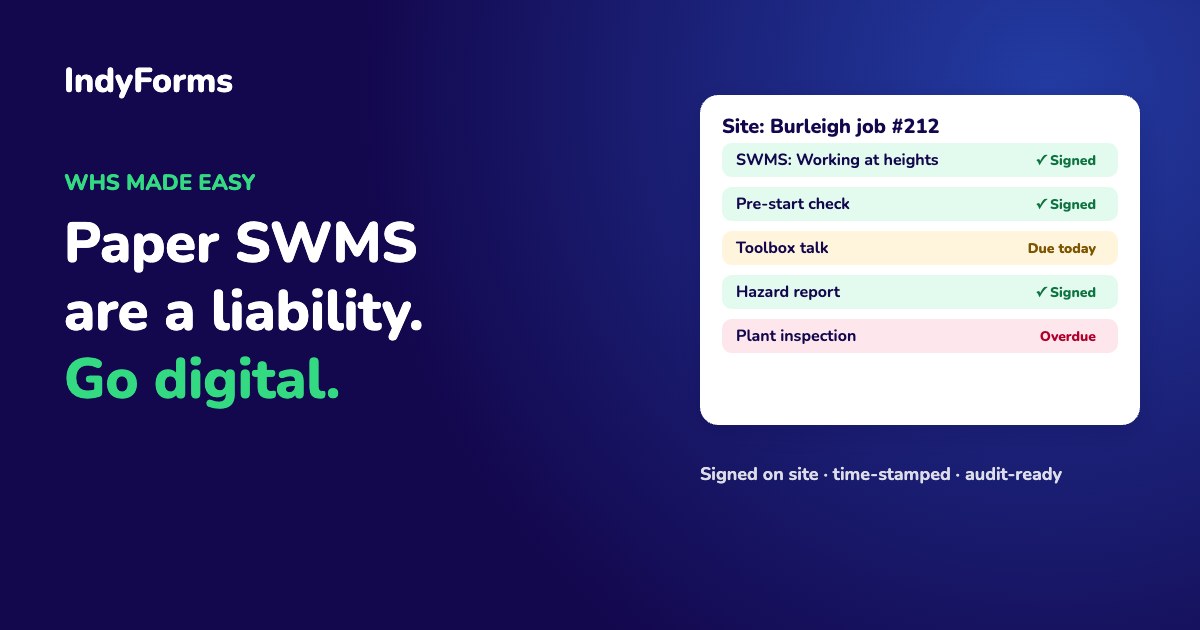
- Safe Work Method Statements (SWMS). Workers review and sign on their phone before work starts, and you keep a record of exactly which version they signed.
- Pre-start checks and site inspections. Daily or weekly checks that create themselves on schedule and land in the right person's to-do list.
- Hazard reports. Snap a photo, describe the hazard, submit. The right people are notified straight away instead of at the end of the week.
- Incident and near-miss reports. Captured on the spot, with photos, time-stamped and routed for follow-up and corrective actions.
- Toolbox talks. Record the topic, attach the material and collect attendee signatures on one device.
- Site inductions. New workers and subcontractors complete the induction, acknowledge your policies and sign before they set foot on site.
- Equipment, vehicle and plant checks. Recurring checks that flag anything overdue or failed.
What good digital WHS forms should do
Swapping paper for a PDF on a phone isn't going digital. Look for these:
- Work on the phone your crew already carries, including signing with a finger and attaching photos.
- Time-stamp everything automatically, so there's no question about when a check or signature happened.
- Keep a full audit trail and version history. When you update a SWMS or policy, you should still be able to see which version each worker signed.
- Schedule recurring checks and chase overdue ones without someone sending reminder texts every Friday.
- Route reports to the right people using conditional logic, so a serious incident goes straight to a manager and a minor hazard goes to the site supervisor.
- Turn issues into action items with an owner and a due date, so corrective actions don't fall through the cracks.
- Keep the data secure. Safety records often include personal and health information, so you need to know where it's stored and how it's protected.
How IndyForms handles WHS paperwork
IndyForms puts all of it in one place: SWMS, inspections, hazard and incident reports, toolbox talks, inductions and equipment checks, alongside your policies and procedures.
- Workers fill in and sign forms in any browser on their phone, tablet or computer.
- Schedules create recurring checks automatically, send them to the right person or group, and flag anything overdue.
- Forms and documents are version-controlled. Update a procedure once and every form that uses it shows the new version, while signed records keep the version that was signed.
- Workflows use conditional logic, section-by-section submissions and permissions, so the right people see the right parts.
- Everything is hosted in Australia, and IndyForms is ISO/IEC 27001 certified.
- Start from ready-made templates, or let Ask IndyAI turn your existing paper and PDF forms into digital ones.
The goal is simple: make the paperwork as easy as possible for the crew on site, and make the proof instant for you.
Frequently asked questions
Can WHS forms like SWMS be signed digitally?
Yes. Workers can review and sign SWMS and other WHS forms on a phone or tablet. A good system records when each person signed and which version of the document they signed.
What WHS paperwork should I digitise first?
Start with the forms filled in most often or carrying the most risk: SWMS, pre-start checks, hazard reports, incident and near-miss reports, toolbox talks and site inductions.
Do digital WHS records hold up better than paper?
Digital records are time-stamped, can't go missing in a ute, and keep a full history of who did what and when, which makes them much easier to produce and rely on when you need evidence.
Can I use my existing paper WHS forms?
Yes. In IndyForms, Ask IndyAI can convert existing paper or PDF forms into digital forms, or you can start from ready-made templates.
See it with your own forms
Grab your most-used safety form and try it. Start a free 14-day trial (no credit card needed) or book a demo and we'll show you how it works on a real job.